Tampilkan postingan dengan label SEO. Tampilkan semua postingan

Kesalahan dalam SEO yang Harus Dihindari

Beautiful Day Blog | Kesalahan dalam SEO yang Harus Dihindari |

Search Engine optimization adalah semua tentang membuat modifikasi ke situs web, yang dapat membantu menarik lebih banyak pengunjung, dan akhirnya mengubah menjadi penjualan. Bila Anda mendesain website, Anda harus memastikan bahwa Anda menggunakan teknik yang akan membawa lalu lintas yang diperlukan.

Namun, terkadang meskipun menghabiskan cukup banyak uang, anda mungkin tidak mendapatkan hasil yang diharapkan. Meskipun Anda telah mengambil upaya untuk SEO, mungkin ada beberapa kesalahan yang menyebabkan kerugian. Anda harus menyadari beberapa kesalahan tersebut yang sering dibuat dan memastikan bahwa Anda menghindarinya.
 
Pemilihan kata kunci yang buruk
Bila Anda memilih kata kunci pastikan bahwa Anda tidak memilih kata kunci yang sangat unik atau sangat populer. Jika Anda menggunakan kata kunci unik, meskipun Anda akan daftar di bagian atas peringkat mesin pencari Anda tidak dapat menemukan sendiri setiap pelanggan yang relevan. Demikian pula, jika Anda menggunakan beberapa kata kunci yang sangat populer, Anda akan menghadapi persaingan yang ketat dari yang sudah di atas.
 
Mengabaikan tittle tag
Banyak sekali orang mengabaikan tag judul yang dapat sangat meningkatkan SEO. Menggunakan kata kunci dalam judul tag membantu, sebagian mesin pencari dapat menemukan kata kunci yang relevan di awal, yang dapat membuatnya lebih mudah dan lebih cepat.
 
Tidak menyediakan versi HTML
Jika Anda telah merancang sebuah website hanya di Flash maka menjadi sulit bagi pemirsa dengan koneksi lambat untuk mendownloadnya. Demikian pula, menjadi lebih sulit bagi spider search engine untuk menjelajah. Sebaliknya, mesin pencari mengabaikan situs tersebut. Dalam kasus seperti itu, perlu bahwa Anda menyediakan versi HTML juga untuk website Anda, yang berguna untuk mesin pencari Anda untuk menemukan Anda.

Gagal untuk menyediakan sitemap
Seringkali ketika Anda membuat menu dan JavaScript tidak menyediakan peta situs situs, Anda gagal untuk membuat dampak yang lebih baik pada mesin pencari. Itu berarti bahwa mesin pencari tidak bisa membaca menu JavaScript. Dengan peta situs Anda dapat mengaktifkan pengindeksan dan merangkak oleh search engine, kegagalan yang didapatkan, Anda tidak akan mendapatkan ranking yang lebih tinggi.
 
Fokus terlalu banyak di Meta Tags
Banyak ahli merasa bahwa Meta Tag itu cepat menjadi usang, jadi hindari berfokus terlalu banyak pada mereka.
 
Terlalu banyak gambar untuk menu dan judul
Meskipun gambar membuat halaman Anda terlihat baik, menggunakan teks untuk menu dan pos membantu mesin pencari untuk menemukan apa yang mereka cari dengan mudah. Mesin pencari tidak dapat membaca gambar, yang berarti efek nol pada upaya Anda untuk meningkatkan peringkat.
 
Backlink spamming
Hindari mendapatkan backlink menggunakan koleksi link, link tersembunyi, dll. Anda akan mendapatkan keuntungan dengan menciptakan kembali link dari situs yang relevan dan otentik seperti artikel direktori. Demikian pula, dengan menggunakan terlalu banyak interlinking juga dianggap sebagai spamming backlink.
 
Kesalahan kecil lainnya. 
Menggunakan rich font  dan small font. Demikian pula, dengan menggunakan FrontPage tidak dianjurkan. Ada kemungkinan bahwa output mungkin buruk dibuat dan bahkan mungkin tidak kompatibel dengan semua browser. Meskipun kesalahan ejaan kecil bisa membantu untuk mendapatkan pengunjung, tidak dianjurkan karena mereka tidak berbicara dengan baik tentang kualitas dari sebuah website. Link Anda seharusnya tidak pernah ada kesalahan ejaan atau tata bahasa.

Ingat bahwa Anda harus memperbarui secara teratur dan menjaga situs Anda tetap fresh. Pastikan bahwa Anda tidak membuat kesalahan SEO ini atau semua usaha lainnya akan sia-sia .

Source: www.semuabisnis.com

Bagaimana memulai blog sukses ??


Saya saat ini budaya menulis sudah menjadi semakin berkembang dengan adanya dukungan dukungan blogspot dan wordpress atau sejenisnya. Budaya menulis yang dulu sudah menjadi kuno dan klasik. Dulu kita menulis benar-benar harus sebuah pasar yang kompetitif untuk bisa menjadi sebuah tulisan yang dibaca, namun saat ini dengan "budaya menulis massal" melalui blog membuat peluang tulisan kita untuk dibaca semakin besar, hanya saja mesti berfikir lanjutannya adalah bagaimana blog saya atau anda dibaca oleh orang, singkat kata dikatakan bahwa blog kita mempunyai jumlah pengunjung yang cukup memuaskan. kecuali anda cukup idealis dan berkata "saya cuma ingin menulis saja kok", hmm ya itu terserah pada masing-masing personal

Setelah itu barulah berfikir untuk menjadikannya sebagai "kebun uang" :)
untuk memulai menulis di blog ya tentunya harus punya blog..hehe...benerkan?!
yang cukup terkenal adalah blogspot, gratis dan simpel penggunaannya, dan hingga sekarang tangguhnya wordpress belum mampu mengalahkan rating blogspot di dunia maya..percaya ga?? :)
Sekarang saya mau berbagi sedikit cara-cara saya dalam memulai sebuah blog, semacam langkah-langkah utama untuk sebuah blog yang baik dan bisa sukses mendatangkan pengunjung(kecuali kalo hanya sekedar untuk membuat dummy blog), tentunya berdasarkan pengalaman saya dan baca-baca sana sini.
begini ceritanya...Baca Selengkapnya...

The Best SEO Tools

SEO stands for search engine optimization. It is the process of designing the web site in such a way that it would be able to attract search engine spiders and improve a site’s ranking. This article provides links to the best SEO Tools found on the Internet. It will help you to find out how to optimize your website, what you should use to improve the quality of backlinks, what keywords you should use on your web-pages, and how to move up your position in search engines.

Ranking Tools

Google Ranking Tools

google

Advanced Google Search Methods - this is a tool is to search Google in many special ways. A useful resource for search engine optimization (especially keyword research) among other things.

Google Datacenter Watch Tool is a tool that lets you do a search on Google at all the different datacentres. Note, that at this time there are 700+ known Datacenters.

Google Rank Position shows Google rank position, PR, number of entries indexed, DMOZ and Google Dir status.

Google Rankings check the ranking of a web page in Google.

Yahoo Ranking Tools

yahoo

Yahoo Search Rankings is a free online SEO tool to check the position of your website in the search engine of Yahoo.

Alexa Tools

alexa

Alexa Page Ranking allows you to cut and paste a number of domains. Get the 3 month Alexa Ranking. If you want to check Alexa Ranking for a number of sites, you can browse your harddrive and provide a list of domains.

Alexa Rank Check is a tool that let you check the Alexa Rank and Google PageRank for up to 10 websites in one go - perfectly for site comparisons. Please note that the best possible Alexa Rank is 1 and the best possible Google Pagerank is 10

Alexa Ranking Find out how your web site traffic stacks up against all your competitors! This is one of the most accurate freely available tools to find out how well your site ranks up against millions of other sites on the Web.

Alexa Related Rank Check tool to check several Alexa ratings at once. This could be useful when checking out your competition.

Page Rank Tools

Datacenter Quick Check checks all Google datacenters for BackLinks, PR and Ranking of keyword.

Future PageRank Tool will query Google’s various data centers to check for any changes in PageRank values for a given URL. Usually all data centers will output the same, but if queried during an update, you might get a glimpse of any upcoming changes in your chosen URL’s PageRank value.

Page Rank Tool will query and return the Google PageRank values for submitted URL from various Google datacenters. Usually all returned values are the same, but when there’s an update going on, you will be able to watch out your Page Ranks closely.

Compare Search Engine Ranking Tools

dogpile

Dogpile Search Comparison gives you the top results from Google, Yahoo! and MSN.

Google vs Yahoo Graph looks at the results from Yahoo and Google, finds the similarities and then gives you a graphical display of what results are in both search engines. This illustrates that optimizing your site for both engines is not a very easy thing to do, but not impossible.

Google-Yahoo-Ask Search search engines differ more than you think. Compare Google, Yahoo, and MSN with one search.

Myriad Search is a search engine that combines Google, Yahoo!, MSN, and Ask Jeeves in one screen. You can modify the individual influence of each search engine in the results.

Thumbshots Ranking is a fun way to learn about search engines and optimizing a site’s ranking.

Yahoo vs Google compares top 100 search results from Google and Yahoo!

Combo Search Engine Ranking Tools

Search Engine Placement Check is a verification tool that checks if your site is in the top three pages of a search engine result for a specific keyword. It’s important to be in the top 3 pages of a search result because most people using search engines don’t go past the 3rd page.

Search Engine Positioning check your Search engine positioning (SERPS) on Yahoo, Google, All The Web. MSN and Hotbot. Just enter your keyword/keyword phrase into the “Keyword” submit box, then enter your URL into the field labeled “Your URL” and specify the “Page Depth” this variable tells the spider how far to go page wise before giving up trying to find your rank. If you are not in the serps within “X” specified pages then the message “There is no information for your query” will come up. It doesn’t really mean there is no information for your serps, it just means that you don’t rank for that keyword within your specified page depth.

Search Engine Ranking Report Enter your own keywords (one phrase per line) and domain to find out where your domain ranks for a set of keyword searches.

Related Page Rank Tools

Backlink Checker counts the Page Rank of your backlinks. To use it, just enter your URL and Google API Key. If you don’t have an API Key, you can fine one at www.google.com/apis. They are free and very easy to get.

Google PageRank Calculator - enter the “Number of Links From Each Page” that links to the page in question to get a Page Rank estimation.

Google PageRank Prediction attempts to determine a future Google PageRank value of a particular site. The tools does several calculations to come to this figure.

Google PageRank Report checks the Google PageRank values for the list of URLs.

Multi DC PageRank Checker will query the varios Google Data Centers to check for any changes in PageRank values for a website.

PageRank Lookup allows you to check the Google PageRank values of multiple URLs at once. A time-saver for keeping tabs on you and your competitors’ PR values.

PageRank Search allows you to search Google using any keyword(s) you wish. It will then return, in order of Google relevance, the sites associated with those keywords. Each result displays a graphical bar with the PageRank of that particular site.

Keyword Tools

Keyword Suggestion Tools

Free Meta Keywords Tool analyzes the meta keywords of your competition. Use the tool to see what keywords your competitors are embedding in their meta keywords tags and then research these keywords using other freely available tools including the Overture keyword suggestion tool, WordTracker and Keyword Discovery.

Google Adwords Keyword Tool - use it to get new keyword ideas. Pick one of the tabs below and enter keywords or URLs that are relevant to your business.

Google Keyword Suggestions helps you choose relevant and popular terms related to your selected key term. Simply enter a key term and this tool will query information from several Google searches, which it will use to determine popular and re-occurring terms used by websites in the same industry.

Google Suggest - as you type, Google will offer suggestions. Use the arrow keys to navigate the results.

Keyword Popularity Tool gives similar data, including search figures from the previous month. It also adds statistics for average searches per hour, day, week, projected figures for the next 12 months and then also a figure to see how searches may look in 3 years from now.

Keyword Research Tool helps you research appropriate words and phrases to include in your webpage’s body text to aid in promotion. Simply enter the sort of word of phrase you wish to be found under, and the tool will suggest some additional words and phrases you can think about using.

Keyword Suggestion Tool is a handy little tool will show you the results of your query from both Wordtracker and Overture for determining which phrases are searched most often. Enter a search phrase below to see how often it’s searched for, as well as get suggestions for alternate (but similar) keywords.

Search Term Research is an invaluable research tool that will tell you what users are searching for and help you find the right keywords to target.

Website Keyword Suggestions tries to determine the theme of your website and provides keyword suggestions along with keyword traffic estimates.

Keyword Tools

GoogleDuel Original a popularity contest using the Google search engine. Enter two words, names, or phrases, and find out which one occurs on more pages on the web. For example, try cat vs dog.

Keyword Density is useful for helping webmasters and SEOs achieve their optimum keyword density for a set of key terms. It will analyze your chosen URL and return a table of keyword density values for one-, two-, or three-word key terms. In an attempt to mimic the function of search engine spiders, it will filter out common stop words (since these will probably be ignored by search engines).

Keyword Density Analyzer will crawl the given URL, extracting text as a search engine spider would. It then removes common stopwords (and calculates what percentage of the total text is stopwords) and analyzes the keyword density of the one word, two word and three word keywords the the text. This tool also calculates the noun density and the verb density, that is; the ratio of the total number of nouns or verbs on the page to the total number of words.

Keyword Density Analyzer is a keyword density and word depth calculator.

Keyword Density Analyzer is important since search engines use this information to determine the theme of your website, the perfect keyword density will help archive higher search engine positions. This tool is useful for helping webmasters achieve optimum keyword distribution.

Combined Keyword Suggestion Tools

Combine Words is a tool to create combinations of keywords for use in a Google AdWords
or Yahoo! Search Marketing Pay Per Click PPC campaign.

Domain Tools

dns report

DNS Report is a test that provides comprehensive information about the specified domain that may verify DNS ‘health’ or identify problems or issues. Common uses: find problems with a domain, verify Mail Servers, Query a specific DNS server.

Bad Neighborhood Checker checks link pages and reports if there are links to bad neighborhoods.

Browser Screen Resolution Checker shows what your web page looks like with the viewer’s monitor set to different screen resolutions.

C Class Backlink Analyzer Tool investigates the links pointing to a website (backlinks), and groups them according to the C-Class IP addresses they come from. For example, if one backlink comes from 53.25.14.5 and another comes from 53.25.14.6, they would be grouped together. Backlinks coming from the same C-Class IP are most likely hosted by the same company, which may lower the site’s search engine ranking.

Class C Checker allows you to check if some sites are hosted on the same Class C IP Range. This Class C Checker may be used if you own several cross-linked sites - it may be more efficient (for SEO purposes) to host them on different Class C IP ranges (this is only an advice, not a must do). And if you’re going to get new links from different sites - check if they share the same class C IP range.

Domain Age Tool displays the approximate age of a website on the Internet and allows you to view how the website looked when it first started. It also helps you find out the age of your competitor’s domains, older domains may get a slight edge in Search Engine Rankings.

Domain Dossier investigates domains and IP addresses.

Domain Stats Tool helps you get all kind of statistics of your competitor’s domains. The statistics include Alexa Taffic Rank, Age of the domains, Yahoo WebRank, Dmoz listings, count of backlinks and number of pages indexed in Search Engines like Google, Yahoo, Msn etc. It will probably help you figure out why some of your competitors are ranking better than you.

HTML Header Viewer shows the exact HTTP headers that a web server is sending with a HTTP response. This can be useful if you need to know what cookies are being set or where any re-directs are going to, along with other details such as mime-type.

HTTP / HTTPS Header Check allows you to inspect the HTTP headers that the web server returns when requesting a URL. Works with HTTP and HTTPS URLs.

IP Address Report check for a duplicate Class C block or Class C subnet IP address in a list of websites, these can be either hosted affiliate and internet marketing sites or potential reciprocal link exchange partners.

Redirects And HTTP Headers Checker checks your server headers and the HTTP result codes it returns. It will follow any redirects it finds along the way, whenever possible. With this tool you can check to see how your server is redirecting and if your server is returning 404 for URLs which do not exist.

Search Engine Friendly Redirect Checker help you determine if the redirect you have created is Search Engine Friendly.

What Is My IP Address shows the IP of your computer or routers.

Link Tools

Exchange Link SEO Tools

Free Reciprocal Link Checker with pagerank calculation and web thumbnails. Put your website or weblog home page URL in the input box and a little spider will read the html code and check for the broken links. The spider splits links in two categories, internal, from the same host, and external, outgoing link to different domains. Once you have put your start URL the bot will visit your website and follow all links checking for their status. When finish you will see a report showing all the bad links found, not only 404 status.

One Way Link Verify generates a detailed report on many search engine-related factors for that page. Requires a Google API Key.

Online Free Reciprocal Link Checker just input the link to search for (the link towards your site), and the listing of the websites where you have done link trades. The spider will crawl one by one each of this addresses looking for links towards your website within your’s link partners html code. You must put the exact address where your link should be found. The crawler doesn’t follow links inside frames, javascript, flash or going through server script.

Site Link Analyzer analyzes a given web page and return a table of data containing columns of outbound links and their associated anchor text. If a hyperlink is represented by an image, the image’s alt attribute will be included as the anchor text.

Link Popularity Tools

Link Popularity Checker is one of the best ways to quantifiably and independently measure your website’s online awareness and overall visibility. Simply put, link popularity refers to the total number of links or “votes” that a search engine has found for your website.

Backlink Anchor Text Analyzer will help you determine the backlinks of your website and link text used by your backlinks to Link to your wesbite.

Link Appeal will calculate the desirability rating of having a link on the URL you specify. This calculation includes factors such as PageRank, number of outbound links and the overall percentage of links to html. It is intended as a guideline for evaluating whether you should ask for a link on a certain page or not.

Site Analysis Including Link Popularity generates a complete site analysis e.g. amount of backlinks, indexed sites, Google PageRank and also if your domain is listed in DMOZ and Yahoo directory.

Link Popularity Checker tells you how many websites are linking to yours. Website popularity is an important factor in your search engine ranking. The more popular your site is, the better it will be ranked on the search engines.

Link Popularity Tool checks the number of pages that link to you in AlltheWeb, AltaVista, Google, HotBot, MSN Search, and Yahoo!, as well as check for your site’s presence in DMOZ and Zeal.

Link Popularity Checker and Link Quality Assessment is a tool to find out the necessary statistics on your links and your competitor’s links.

Link Popularity Check using this script you can revise detailed statistics of backward links for one domain in the most popular directories and search engines.

Backlink Tools

Backlink Check Tool is a tool is to check your backlinks and the anchor text used in those backlinks.

Toolbars

Google Toolbar For Firefox add buttons to the toolbar to search your favorite sites. Bookmark frequently visited pages and access them from anywhere. Search smarter with instant suggestions. as you type in the search box. Share web pages with friends via blog, email, or SMS. System requirements: Windows XP/2000 SP3+, Mac OS X 10.2+, or Linux, Firefox 1.5+.

Google Toolbar For IE Block annoying pop-ups. Fill out web forms with one click. Translate pages into English instantly. Check your spelling in webmail messages, and more. System requirements: Windows Vista/2000/XP, Internet Explorer 6.0+.

Mozdev GoogleBar project was initially created to address the widespread desire in the mozilla community for the Google toolbar to support the Netscape 7, Mozilla, and Firefox web browsers. In the past, the Google toolbar was only available for IE on windows. While we are in no way affiliated with Google inc, our current release emulates all of the basic search functionality of the toolbar, allowing users to easily access almost all of Google’s specialty searches (some of which are not yet supported by the original Google toolbar!) from one convenient toolbar. However, because the developer community for Firefox is so vibrant, we have decided not to implement features found in other extensions (such as form fill) or built into Firefox (such as the popup blocker). If you are looking for AutoFill, you may find the AutoForm or AutoFill extensions useful.

PR Toolbar Widget For Macintosh requires Mac OS X 10.3 or higher. Internally it’s built with JavaScript, PHP and AppleScript. Works for HTTP sites, does not work (intentionally) for HTTPS, FTP, etc.

Search MSN Toolbar helps you start a search from any Web page, see instant previews of maps and more from any Web page, personalize your Web experience with custom buttons. Requires Internet Explorer 6.0 or later.

Yahoo Toolbar For Firefox helps you make the Web a safer place - Pop-Up Blocker stops pop-ups in their tracks. It allows to quickly search your bookmarks, from Toolbar or Yahoo! Search. Personalized buttons get you to your most used sites in 1 click. Built in Web Search helps you find whatever you want fast. Yahoo! Mail alerts lets you know when you’ve got new mail.

Web Site Optimization Tools

poodle predictor

Poodle Predictor is a tool that attempts to give you an idea of how your site will show up in the search-engine results, before it’s too late, and they have already cached it. This helps you avoid making mistakes that will either prevent your site from getting a decent listing, or will show a useless description of you site in the search-engine results.

Advanced Meta Tag Generator provides you with fields for 19 different mata tags and generates the meta code for you.

Cache.it not only searches and finds the cache pages; it also gives you a graphic view of the results over a period of time (from the first day of your research until now). Additionally, it shows you the site pagerank.

Code to Text Calculator - to avoid diluting your keyword relevancy you should design pages with as little code bloat as possible. Check the percent of your page that is comprised of text with this too.

Copyscape searches for copies of your page on the Web.

Google Banned Tool uses two methods to check to see if a URL you enter is in the Google database. Its a great way to check to see if you have been banned by Google for various reasons. If your site is quite new, you may also not show in the Google database. This tool is aimed towards people who think that they have been punished.

Meta Tag Generator generates a search engine friendly Head Tag for your web site. Keep your meta tags free of information that only slows down a search engine robot crawl.

Title and Meta Tag Generator Create your sites meta tags instantly to help achieve higher search engine ranking. Includes title tag, description, abstract, keyword, and robot meta tags. You can read the Meta Tag Description page for an explaination of the meta tags created by our meta tag generator.

Search Engine Spider Simulator is a tool that simulates a Search Engine by displaying the contents of a webpage exactly how a Search Engine would see it. It also displays the hyperlinks that will be followed (crawled) by a Search Engine when it visits the particular webpage.

Similar Page Checker allows you to determine the percentage of similarity between two pages. The exact percentage of similarity after with a search engine may penalize you is not known, it varies from search engine to search engine, Your aim should be to keep your page similarity as low as possible.

Web Page Analyzer will read the page you specify, and put it through a few basic tests to see if qualifies as ’search-engine-friendly’ for the phrase you specify. It then gives a report on the good, and the bad points of the page in SEO terms.

Code Validation

Atom & RSS Feed Validator is a validator for syndicated feeds. It works with RSS 0.90, 0.91, 0.92, 0.93, 0.94, 1.0, 1.1, and 2.0. It also validates Atom feeds. Despite its relatively simple nature, RSS is poorly implemented by many tools. This validator is an attempt to codify the specification (literally, to translate it into code) to make it easier to know when you’re producing RSS correctly, and to help you fix it when you’re not. The validator also supports the IETF standard Atom format for syndicated feeds.

W3C Markup Validation Service is a validator that checks the markup validity of Web documents in HTML, XHTML, SMIL, MathML, etc. If you wish to validate specific content such as RSS/Atom feeds or CSS stylesheets or to find broken links, there are other validators and tools available.

Source: http://techmagazine.ws
Suscribe my post

Track Website Traffic: 40 Great Tools

The following tools will help you to better understand your website traffic, analyze and monitor all the visitors to your website. You will get access to vital information about your site’s audience. These tool will give you a clear picture of who is visiting your site or blog, how they found you, where they came from, what interests them and much more.

Web Traffic Visualization

clicktrack

ClickTracks offers intuitive, insightful analysis of your web site. It shows you campaigns, site navigation patterns, PPC, SEO and ROI stats instantly. It is a web analytics program that uses a radically different architecture, making it easy for marketers to perform desktop datamining activities that are difficult or impossible to implement using traditional web analysis methods. Clicktracks includes overlaid navigation view, PDF and Excel report export, parameter and cookie stats, tabular campaign report, internal search analysis, visitor segmentation with labels, keyword ranking report, E-mail campaign tracking, geographic location report, and more.

Crazy Egg is a tool to supplement your analytics with stunning visuals and actionable data. This program is for people who want more ad revenue, for those who care what visitors do, or need to make improvements. With this program you can create tests to figure out what people are doing on your website. Get a picture of where people clicked on your site. find out where people click based upon the things like: Top 15 Referrers, Search Terms, Operating System, Browser, etc. Share data with people who matter to you. Clients, bosses, imaginary friends, and people you are trying to sell ad space to.

Indextools provides e-business leaders accurate, insightful and timely intelligence about the effectiveness of their Web efforts, thereby helping them to increase sales, reduce marketing costs and provide a higher level of service to their customers and partners. IndexTools specializes in delivering on-demand web analytics solutions to the enterprise and SME market.

Intellitracker is the smart way to drive your business. It redefines web analytics and delivers interactive business intelligence to the heart of your business.

VisitorVille applies video game principles to help you easily visualize and better understand your web site traffic statistics.

Blog and RSS Feed Analysis

mint

Feedburner is the leading provider of media distribution and audience engagement services for blogs and RSS feeds. Its Web-based tools help bloggers, podcasters and commercial publishers promote, deliver and profit from their content on the Web.

MeasureMap helps you understand what people do at your blog, and what influence you are having on the world.

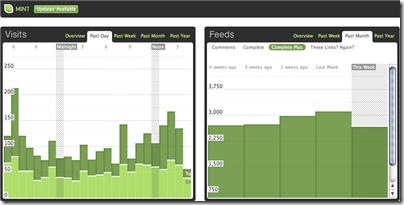
Mint is an extensible, self-hosted web site analytics program. Its interface is an exercise in simplicity. Visits, referrers, popular pages and searches can all be taken in at a glance on Mint’s flexible dashboard.

Performancing is a home for professional bloggers. A place where those that want to make money from their blogs can learn, and perfect the art of making a living from weblogging.

Pheedo’s FeedPowered advertising platform converts your RSS feeds into rich, dynamically updating advertising that engages your audience. Leverage your existing RSS assets to extend your brand, drive traffic, and acquire new feed subscribers. Pheedo retrieves your RSS feed several times an hour and updates your FeedPowered advertisements with any newly published items. Great for time-sensitive content and frequently updated offers.

Technorati is a site that measures the popularity of blogs based on the number of people that have “favorited” them using the service.

Market Research Data and Site Rankings

compete

Alexa provides the statistics for all of the Internet. It lets you compare your blog to another one.

Compete provides information on every site on the Internet including site traffic history and competitive analytics; a site specific trust assessment; and a list of all available promotions.

comScore is a global Internet information provider. It maintains massive proprietary databases that provide a continuous, real-time measurement of the myriad ways in which the Internet is used and the wide variety of activities that are occurring online.

Hitwise online competitive intelligence service provides daily insights on how 25 million people interact with over 1 million web sites in 160+ industries. Its unique, global network of Internet usage data is integrated into the user friendly service, helping you better plan, implement and report on your online branding, search marketing, content strategies and online partnerships.

Nielsen//NetRatings offers web analytics package for you to be able to compare your site with others in your industry. Produces widely followed research reports in dozens of different Web verticals.

Analytics Software Packages

deepmetrix

Google Analytics helps you learn even more about where your visitors come from and how they interact with your site. It makes it easy to improve your results online. Write better ads, strengthen your marketing initiatives, and create higher-converting web sites. Google Analytics is free to all advertisers, publishers, and site owners.

Site Meter’s comprehensive real time website tracking and counter tools give you instant access to vital information and data about your sites audience. With the detailed reporting you’ll have a clear picture of who is visiting your site, how they found you, where they came from, what interests them and much more.

WebSTAT makes Web analytics easy and cost-effective. Its hosted analytics software tracks and stores web statistics for businesses and non-profit organizations of all sizes. You don’t need thousands of dollars to get a good web traffic analysis package.

Hitslink offers a Professional and Enterprise version of their web-based real-time reporting package. It offers a conversion tracking of pay-per-click campaigns. You can track user definable events, such as, promotions and downloads as well on your site.

iPerceptions provides analytic solutions looking at customer behavior both online and off. It helps you discover the issues that matter most to the customers.You will know: what changes to the site will enhance your visitor’s level of satisfaction , strengths and weaknesses of your visitor’s experience, who, when, and why visitors are coming to your site.

WebTrends enables you to provide your visitors with the most engaging experience possible. Measure and test all aspects of the online experience from marketing to site content and usability—all of which increase visitor engagement and conversion rates. With functional reporting for each department, from marketing to merchandising to business analysis, you can answer the questions that are most important to the overall business as well as each department.

imWare tools suite is a software-as-a-service package that helps instantly add interactivity and web analytics to content rich web sites. Hundreds of customers have simplified interactivity and web analytics on their sites by deploying imWare. It is comprised of four tools and an accompanying web analytics package. All tools are hosted by Clickability and are simple to deploy.

Clickfox’s patented, proven software enables companies to transform existing customer data into true, objective insight by showing customers’ step-by-step behavior within interactive systems and across the enterprise. ClickFox can translate interactions from multiple service touchpoints into an intuitive, visual map, revealing quickly and easily what customers actually do and why, so that companies can align customer needs with their business objectives.

Clickstream is a fully featured ASP delivered web analytics solution provided by Clickstream in conjunction with its partners. The automation and elimination of tagging inherent in the Datasherpa Platform enables the delivery of enterprise analytics out of the box with virtually no setup or maintenance costs. For the first time hosting providers are able to deliver enterprise level functionality at a minimal cost, thereby creating a significant new revenue stream.
Datasherpa Web Analytics can be configured for different levels of service depending on the hosting provider’s needs and customer segmentation. The solution can be deployed virtually or on premise.

Coremetrics a company that provides most accurate and complete record of visitor behavior—capturing every click of every visitor over time, and storing them in Coremetrics’ LIVE (Lifetime Individual Visitor Experience) Profiles secure database.

DeepMetrix provides a web analytics solution. Get campaign tracking, conversion, ROI, visitor segmentation and commerce, plus powerhouse features like CRM, data mining and A/B testing.
For end-to-end website tracking, LiveSTATS.BIZ delivers more for less. The proof is in the feature set, and the price will have you wondering why other solutions cost so much.

Fireclick makes Web analytics easy through a hosted application service that automatically gathers and stores data for online businesses. No set-up fee. No training fee. No expensive consulting required. To report, present, and share the analysis of data, Fireclick provides a comprehensive suite of tools unmatched in the industry. Fireclick provides integration of Web analytics with paid search engines, e-mail providers, affiliate programs and more in order to provide a consolidated view of all site activity.

MetriServe provides all the web statistics and web analytics tools you need to find out in real-time who your visitors are, where they are coming from and how they are using your web site. Use this valuable knowledge to sell more products and services and to improve your advertising campaigns.

Moniforce‘ s webSensor Enterprise is a high-quality web analytics solution that provides insight into your website visitors’ behaviour. You can immediately work with the results from webSensor Enterprise. You know exactly where to make changes that will attract more visitors, make sure visitors return more often,increase the conversion rate from visitor to customer , improve the effect of online marketing campaigns.

Mtracking’s ASP web analysis service gives accurate real time reports on the marketing performance of your web site, e-marketing and online campaigns.

Nedstat enable you to improve the effectiveness and profitability of your online communication and business. It makes website analytics straightforward and accessible. Nedstat offers a wide range of reporting possibilities on campaigns, content and conversion.

SPSS offers software and solutions that help organizations direct and automate decisions to meet their goals and achieve measurable competitive advantage.

Omniture provides organizations with actionable, real-time intelligence regarding their online strategies and marketing initiatives. Omniture helps organizations quickly identify and understand the most profitable paths through their Web sites, where visitors are dropping off, what’s driving critical success events, and how different segments of visitors interact with the Web site.

OneStat.com -provides different web analytic solutuions. With instant access to dozens of live interactive reports, it helps to improve the effectiveness of your online and offline marketing initiatives.

Optimal IQ offers product for monitoring click fraud.

Quova protects your business against online fraud by verifying user locations. It increases your revenues and improves user experience with geographically targeted online marketing.

SiteClarity translates complex data into a clear and actionable format that presents multiple layers of insight into online customer behavior. As an enterprise tracking and reporting solution, SiteClarity delivers a centralized solution across all operational areas including marketing, site optimization, and customer retention. Unlike other solutions, SiteClarity tailors its reports and services to meet your specific business needs. Focused reporting packages and power administration tools provide a deeper understanding of online customers to re-define and optimize online strategies.

StatCounter is a free yet reliable invisible web tracker, highly configurable hit counter and real-time detailed web stats. Insert a simple piece of our code on your web page or blog and you will be able to analyze and monitor all the visitors to your website in real-time.

With WebAbacus software, you can find out which areas of your site are the most productive; understand the true effectiveness of your marketing campaigns; work out which products are most attractive to different customer segments or discover who is reading your information and what they’re doing with it. More importantly you can also find out out what isn’t working, together with the best way to put it right.

WebtraffIQ is a web analytics agency, providing a complete campaign tracking platform. This enables our clients to see how various online and offline marketing techniques are working, in effect creating a rich picture of a web site’s activities.

Maximine’s High-Performance Site Analytics(HPSA) solution is explicitly designed to address the demanding challenges of today’s mission critical web environments. As sites become increasingly large, complex and dynamic, compounded by accelerating growth in the number of user-contributors, MAXAMINE produces the solution that delivers all three performance imperatives required for enterprise business success: coherent solution that provides maximum cost-efficiency, flexibility and analytic capacity; fast implementation and rapid customization with dynamic on-the-fly search and query capabilities, quality control and reporting.

Source: techmagazine.ws
Suscribe my post
Link exchanges: The poor man's SEO

(CNET) -- Large Internet companies spend millions on consultants and technology trying to get their sites to rank among the highest results on Google. Everyone else has to rely on the poor man's search-engine optimization: the link exchange.

The thinking behind link exchanging is that Google will record links as a vote of confidence for sites.

If you've ever hung up your own shingle on the Web, you've probably gotten an e-mail to this effect at some point: "Dear So-and-so, I believe your site and mine could benefit from exchanging links."

We probably get eight to 10 a week in the CNET News general mailbox, mostly from technology-related companies but occasionally from auto-parts suppliers and watch retailers who either have no idea what we do or few moral qualms about spam.

The idea is that if you can coax a link out of a large site like CNET, Google and other search engines will record that link as a vote of confidence in your site's worthiness and improve your ranking in searches for certain topics, thereby boosting traffic to your site. The technique is quite old, dating back even before Google and its PageRank system emerged as the Web's dominant search engine.

But does it still work? And at what point do two or three sites struggling to get off the ground veer off the road from mutual assistance to a full-blown spam operation designed to game the system?

Evan Duffield, for one, thinks it still works. He contacted us trying to get CNET to exchange links with WarpedAI.com, a site he has launched to promote stock-trading tools for day traders, and says he has been able to slowly build up the PageRank of another site he owns using techniques that don't run afoul of Google's Webmaster guidelines.

"It's kind of a vicious circle," he said. "To start a new business you need PageRank, but to get PageRank you need links to your service. You have to get the ball rolling."

PageRank is the currency of the Web. Google's novel approach to site indexing way back when was to evaluate the worthiness of a site based on how many other sites were linking to it, also taking into account the worthiness of the sites passing along the links.

This meant, and still does mean, that a link from a site with a high PageRank counts for way more than a link from a site with low PageRank.

But how do you get a link from one of those sites? Google's official advice: "The best way to get other sites to create relevant links to yours is to create unique, relevant content that can quickly gain popularity in the Internet community." That, of course, sounds like something your mother would say.

In a Web as vast as this one, getting attention for a new site, even one with superb content, is a very difficult undertaking. Bloggers can discuss each other's work and help each other build up a following, but if you're selling a product or service it can be much more difficult to climb the ranks of search results for things like "day-trading software" when you're starting from scratch.

So Webmasters like Duffield turn to solicitations for links. Danny Sullivan, who writes about search-engine optimization for Search Engine Land, says "if you're a new site, absolutely you want to be doing link building. But you need to be doing that in a smart fashion."

Duffield says he's very careful to only solicit links from sites that are related to his product: his pitch for exchanging links that somehow wound up at our doorstep was addressed to computer-go@computer-go.org, a mailing list for hobbyists trying to tackle the difficult chore of building a computer AI system for the ancient game of go.

That was a mistake, he said; the result of prematurely hitting send on an e-mail template. Duffield compiles his targets by searching for sites that are related to finance and stock trading, and attempts to contact a general e-mail address to pass along his site's information and offer a link exchange.

"It's not about the actual links so much as it is optimizing search queries," Duffield said. "When I figure out a query I want from Google, I can see the top three positions have this much page rank and this many positions, and try to beat that out."

As long as people like Duffield are exchanging links without offering payment, or crossing obvious lines such as breaking captchas and posting spam links in guestbooks or comment forums, they're following the spirit of Google's Webmaster guidelines.

"Where it tends to get into tricky issues is where people are doing it primarily for payment," Sullivan said. "Search engines would see links as votes. Google does not like that people would simply be buying links to do better.

While paid links are clearly off-limits, Google appears to ban link exchanges in general, saying it does not allow "excessive link exchanging" but failing to define exactly what constitutes "excessive."

Other practices that are verboten include links to "bad neighborhoods" on the Web and complicated networks of several Web sites with little content but pages and pages of links amongst themselves that Google can usually identify.

For the most part, however, the practice is rampant enough that only the most egregious violations get snagged. "If you start thinking too much about not getting caught, you're probably doing things you shouldn't be doing," Sullivan said.

In an era where SEO is a budding industry unto itself, link exchanges are perhaps the most basic approach. Far below the realm of those dithering over Google's search index are those like Duffield trying to make something out of literally nothing.

While he needs to build PageRank equity to get started, Duffield acknowledges that at a certain point that Google is right: a site will live or die on its content. Link exchanges only work to get one's name out there: the real boost needed to turn a Web site into a business comes when real people start discussing and linking to a service on blogs, message forums, and social-networking sites.

That's when your search ranking (and therefore traffic) really starts to grow, he said. "If you can make Google see that something is being talked about all over the Internet, what choice do they have?"
Suscribe my post

20 SEO Fatal Mistakes You Must Avoid To Succeed

Small businesses are often hard-pressed for time and money. And as I read various small business blogs, it’s clear to me that there’s a growing interest in search marketing and understanding the benefits of SEO. But there’s still a divide between that and actually doing SEO or hiring an SEO company. The idea for this column came from a small business blog, where one small business owner asked for a quick and easy SEO checklist to follow. In other words, a concise list of do’s and don’ts for search engine optimization.

Well, how about going one better than that? How about two checklists? This week, a checklist of don’ts: things to avoid whether you’re doing SEO yourself or having an outside firm do it for you.

Small Business SEO Checklist: The Don’ts

1. Don’t reply to the SEO spam you get via e-mail. You don’t need to submit to 1,000 search engines or 500 directories. You can’t buy 2,000 quality links for $50. And no reputable SEO can guarantee a number one ranking on any search engine for keywords that matter. The kind of SEO company you want to hire doesn’t send out spam.

2. Don’t wait too long to implement SEO. Whether you’re launching a new Web site or upgrading your current site, SEO considerations should be part of the discussion from day one.

3. Don’t take your decision to hire an SEO company too lightly. Hiring an SEO company is not like choosing a company to service your copy machine. Online marketing can make or break your company, so choosing a vendor should involve a lot of research and questions with the companies you’re considering.

4. Don’t hire an SEO company and then divorce yourself from the process. It’s your job to know and understand as much as possible about the strategies and tactics your SEO company will be using. If your SEO company uses high-risk tactics and your site gets caught, you’ll be the one paying the price.

5. Don’t spread your content over several domains. There are times when sub-domains or an additional domain might make sense, but those occasions should be dominated by user and content considerations, not an attempt to get multiple domains/sites listed in the SERPs. Know the pros and cons of using sub-domains and additional domains.

6. Don’t waste your time submitting your URL to search engines. The crawler-based search engines will find your site more quickly as soon as you get a link from another web site already being crawled. Search engine submission died a few years ago.

7. Don’t make your web site uncrawlable. This can result from an incorrect robots.txt file, having session IDs or too many variables in your URLs, using a convoluted navigation menu that spiders can’t (or won’t) follow, or developing an all-Flash, all-graphic, or all-AJAX site.

8. Don’t target overly general keywords. A real estate agency in Wichita has no shot at ranking for the phrase “real estate;” a lawyer in Fresno has no shot at ranking for the word “lawyer.” Optimize for relevant, specific keywords that will bring targeted traffic.

9. Don’t stuff keywords in your meta tags, image alt tags, etc. That is so 1996-97. Today, it’s called spam.

10. Don’t stuff keywords in your page footer with lightly-colored or hidden text. That is so 1998-99. Today, it’s also called spam.

11. Don’t have the same title element on every page. Variety is the spice of life and, combined with relevance, is a pre-requisite to avoiding duplicate content issues and Google’s supplemental index.

12. Don’t allow both www.yourdomain.com and domain.com to resolve to your home page. Those are two separate addresses to a search engine, and that means you have the same content at two addresses. On a related note, don’t link to your home page with a URL like www.yourdomain.com/index.html—that’s also a separate address from www.yourdomain.com and will also look like duplicate content.

13. Don’t ignore usability. Things like proper site structure, logical navigation, descriptive link text, etc., are good for both users and search engine spiders.

14. Don’t give up on creating great content because you think your customers don’t need or want it, or because your product or service doesn’t lend itself to great content. No matter what business you’re in, you can add great (linkable) content to your web site. A glossary is an easy way to create a page of great, keyword-rich content. Also consider a frequently asked questions page, a testimonials page, how to articles, product support manuals and so on.

15. Don’t develop an unbalanced link profile. Too many small business owners, knowing links are important, immediately begin trading links with any and every site they can find. Not a good idea. Reciprocal links aren’t bad by default, but if most of your inbound links are the result of link trades, they won’t help much. Reciprocal links should only be made with quality, relevant web sites, and should only represent a fraction of your overall link profile.

16. Don’t request the same exact anchor text on all links to your site. This is an obvious sign of unnatural link building. Your link building should look natural, and varied anchor text will help.

17. Don’t plaster your link all over blog comments, guestbooks, etc. That’s called spamming, not SEO.

18. Don’t fret over keyword density. Yes, your target keyword and closely-related terms should appear in the page title, description meta tag, and page copy. No, a calculator is not an SEO tool.

19. Don’t obsess over Google PageRank. What you see in the toolbar is several months old, and doesn’t affect rankings like it used to. PageRank is now more about crawl frequency and depth, and whether a page is stored in the main index or supplemental index.

20. Don’t check your rankings every day. They’re going to change whether you look or not. Better to spend time improving your web site rather than watching it flutter up and down the SERPs.

This list could continue well beyond these 20 “don’ts.” Your additions are welcome in the comments.

Next week’s Small Business SEO Checklist will cover the crucial search optimization dos.

Matt McGee is the SEO Manager for Marchex, Inc.,
Suscribe my post

SEO Tips and Techniques

Small businesses are growing more aware of the need to understand and implement at least the basics of search engine optimization. But if you read a variety of small businesses blogs and Web sites, you’ll quickly see that there’s a lot of uncertainty over what makes up “the basics.” Without access to high-level consulting and without a lot of experience knowing what SEO resources can be trusted, there’s also a lot of misinformation about SEO strategies and tactics.

This article is the second in a two-part SEO checklist specifically for small business owners and webmasters. Last week, I shared 20 “don’ts.” Naturally, this week addresses the “Do’s”—things to make sure you include whether you’re hiring an SEO company or doing it yourself.

Small Business SEO Checklist: The Do’s

1. Commit yourself to the process. SEO isn’t a one-time event. Search engine algorithms change regularly, so the tactics that worked last year may not work this year. SEO requires a long-term outlook and commitment.

2. Be patient. SEO isn’t about instant gratification. Results often take months to see, and this is especially true the smaller you are, and the newer you are to doing business online.

3. Ask a lot of questions when hiring an SEO company. It’s your job to know what kind of tactics the company uses. Ask for specifics. Ask if there are any risks involved. Then get online yourself and do your own research—about the company, about the tactics they discussed, and so forth.

4. Become a student of SEO. If you’re taking the do-it-yourself route, you’ll have to become a student of SEO and learn as much as you can. Luckily for you, there are plenty of great Web resources (like Search Engine Land) and several terrific books you can read. Aaron Wall’s SEO Book, Jennifer Laycock’s Small Business Guide to Search Engine Marketing, and Search Engine Optimization: An Hour a Day by Jennifer Grappone and Gradiva Couzin are three I’ve read and recommend.

5. Have web analytics in place at the start. You should have clearly defined goals for your SEO efforts, and you’ll need web analytics software in place so you can track what’s working and what’s not.

6. Build a great web site. I’m sure you want to show up on the first page of results. Ask yourself, “Is my site really one of the 10 best sites in the world on this topic?” Be honest. If it’s not, make it better.

7. Include a site map page. Spiders can’t index pages that can’t be crawled. A site map will help spiders find all the important pages on your site, and help the spider understand your site’s hierarchy. This is especially helpful if your site has a hard-to-crawl navigation menu. If your site is large, make several site map pages. Keep each one to less than 100 links. I tell clients 75 is the max to be safe.

8. Make SEO-friendly URLs. Use keywords in your URLs and file names, such as yourdomain.com/red-widgets.html. Don’t overdo it, though. A file with 3+ hyphens tends to look spammy and users may be hesitant to click on it. Related bonus tip: Use hyphens in URLs and file names, not underscores. Hyphens are treated as a “space,” while underscores are not.

9. Do keyword research at the start of the project. If you’re on a tight budget, use the free versions of Keyword Discovery or WordTracker, both of which also have more powerful paid versions. Ignore the numbers these tools show; what’s important is the relative volume of one keyword to another. Another good free tool is Google’s AdWords Keyword Tool, which doesn’t show exact numbers.

10. Open up a PPC account. Whether it’s Google’s AdWords or Yahoo’s Search Marketing or something else, this is a great way to get actual search volume for your keywords. Yes, it costs money, but if you have the budget it’s worth the investment. It’s also the solution if you didn’t like the “Be patient” suggestion above and are looking for instant visibility.

11. Use a unique and relevant title and meta description on every page. The page title is the single most important on-page SEO factor. It’s rare to rank highly for a primary term (2-3 words) without that term being part of the page title. The meta description tag won’t help you rank, but it will often appear as the text snippet below your listing, so it should include the relevant keyword(s) and be written so as to encourage searchers to click on your listing. Related bonus tip: You can ignore the Keywords meta altogether if you’d like; it’s close to inconsequential. If you use it, put misspellings in there, and any related keywords that don’t appear on the page.

12. Write for users first. Google, Yahoo, etc., have pretty powerful bots crawling the web, but to my knowledge these bots have never bought anything online, signed up for a newsletter, or picked up the phone to call about your services. Humans do those things, so write your page copy with humans in mind. Yes, you need keywords in the text, but don’t stuff each page like a Thanksgiving turkey. Keep it readable.

13. Create great, unique content. This is important for everyone, but it’s a particular challenge for online retailers. If you’re selling the same widget that 50 other retailers are selling, and everyone is using the boilerplate descriptions from the manufacturer, this is a great opportunity. Write your own product descriptions, using the keyword research you did earlier (see #9 above) to target actual words searchers use, and make product pages that blow the competition away. Plus, retailer or not, great content is a great way to get inbound links.

14. Use your keywords as anchor text when linking internally. Anchor text helps tells spiders what the linked-to page is about. Links that say “click here” do nothing for your search engine visibility.

15. Build links intelligently. Submit your site to quality, trusted directories such as Yahoo, DMOZ, Business.com, Aviva, and Best of the web. Seek links from authority sites in your industry. If local search matters to you (more on that coming up), seek links from trusted sites in your geographic area—the Chamber of Commerce, etc. Analyze the inbound links to your competitors to find links you can acquire, too.

16. Use press releases wisely. Developing a relationship with media covering your industry or your local region can be a great source of exposure, including getting links from trusted media web sites. Distributing releases online can be an effective link building tactic, and opens the door for exposure in news search sites. Related bonus tip: Only issue a release when you have something newsworthy to report. Don’t waste journalists’ time.

17. Start a blog and participate with other related blogs. Search engines, Google especially, love blogs for the fresh content and highly-structured data. Beyond that, there’s no better way to join the conversations that are already taking place about your industry and/or company. Reading and commenting on other blogs can also increase your exposure and help you acquire new links. Related bonus tip: Put your blog at yourdomain.com/blog so your main domain gets the benefit of any links to your blog posts. If that’s not possible, use blog.yourdomain.com.

18. Use social media marketing wisely. If your small business has a visual element, join the appropriate communities on Flickr and post high-quality photos there. If you’re a service-oriented business, use Yahoo Answers to position yourself as an expert in your industry. With any social media site you use, the first rule is don’t spam! Be an active, contributing member of the site. The idea is to interact with potential customers, not annoy them.

19. Take advantage of local search opportunities. Online research for offline buying is a growing trend. Optimize your site to catch local traffic by showing your address and local phone number prominently. Write a detailed Directions/Location page using neighborhoods and landmarks in the page text. Submit your site to the free local listings services that the major search engines offer. Make sure your site is listed in local/social directories such as CitySearch, Yelp, Local.com, etc., and encourage customers to leave reviews of your business on these sites, too.

20. Take advantage of the tools the search engines give you. Sign up for Google’s webmaster Central and Yahoo’s Site Explorer to learn more about how the search engines see your site, including how many inbound links they’re aware of.

21. Diversify your traffic sources. Google may bring you 70% of your traffic today, but what if the next big algorithm update hits you hard? What if your Google visibility goes away tomorrow? Newsletters and other subscriber-based content can help you hold on to traffic/customers no matter what the search engines do. In fact, many of the DOs on this list—creating great content, starting a blog, using social media and local search, etc.—will help you grow an audience of loyal prospects and customers that may help you survive the whims of search engines.

Just like last week, this list could continue well beyond these 21 “DOs.” Your additions are welcome in the comments.

With this checklist and last week’s list of “Don’ts,” you should be able to develop a good plan of attack for your SEO efforts for your small business.

Matt McGee is the SEO Manager for Marchex, Inc.


Suscribe my post

Best SEO-Tools

Ringkasan ini tidak tersedia. Harap klik di sini untuk melihat postingan.